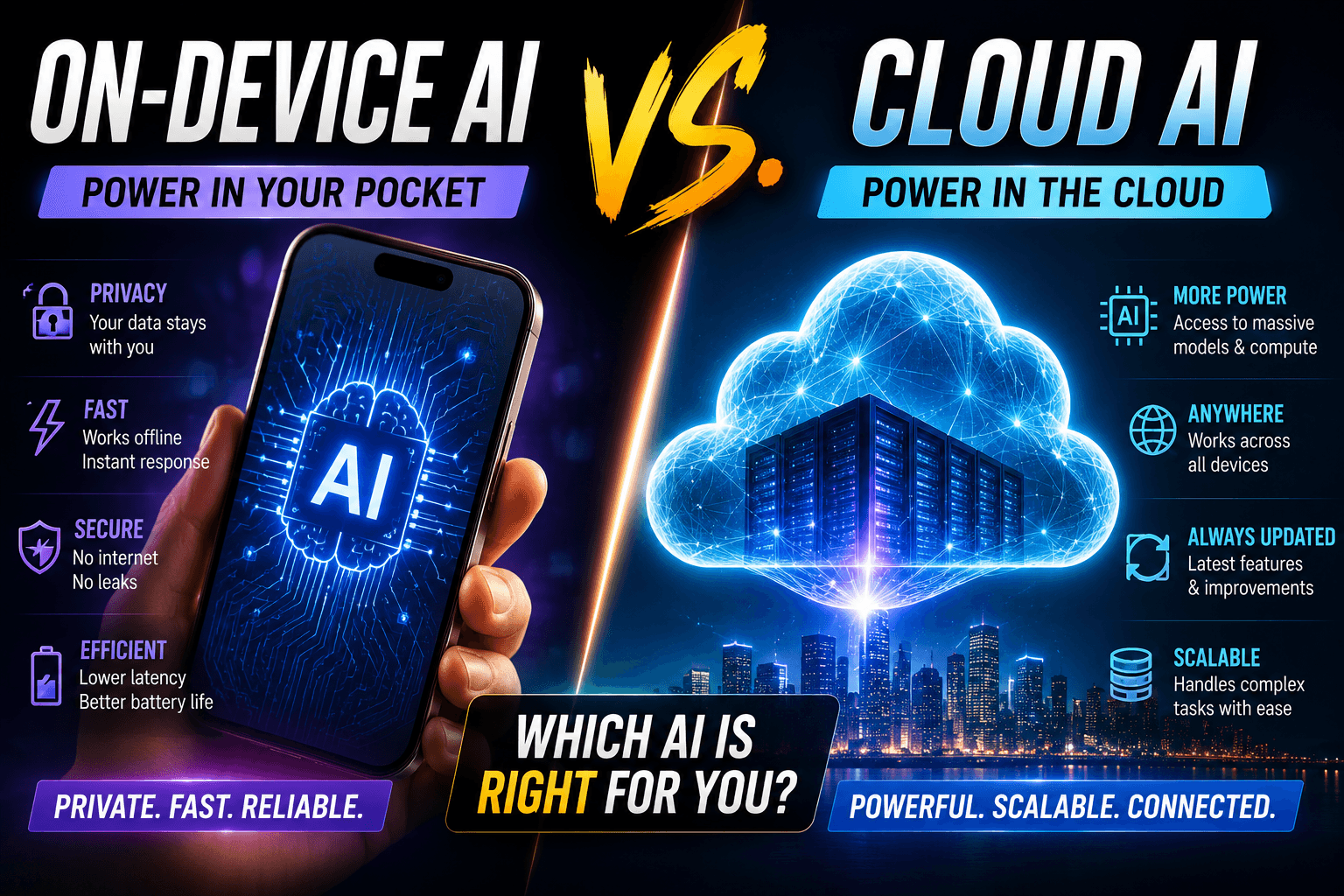
Every time you tap an AI tool on your smartphone— it is summarizing a text, expanding a photo, or erasing an object in the background—your phone makes a critical structural choice. It either processes that request natively using its own NPU (Neural Processing Unit), or it bundles your personal data up and beams it across cellular towers to a server farm.
Understanding the dividing line between On-Device AI and Cloud AI isn’t just a technical detail. It dictates how fast your battery drains, how much of your monthly mobile data cap you consume, and exactly where your private data is stored.
1. The Core Split: Local NPU vs. Server Farms
To handle the massive computational weight of artificial intelligence, smartphone operating systems employ a hybrid architecture.
[ Your AI Request ]
        │
        ├─► Local Processing (NPU) ──► 0MB Data ──► 100% Private (On-Device)
        │
        └─► Complex Generation ─────► Cloud Server ──► Consumes Mobile Data ──► Data Leaves Device
- On-Device AI: Runs directly on your device’s physical silicon (like Apple’s A-series/M-series chips or Google’s Tensor processors). The model files live permanently in your storage, meaning these features work completely offline with zero mobile data overhead and zero external privacy risk. devin-rosario.medium.com+ 1
- Cloud AI (and Private Cloud Compute): Relies on massive server-side models (like Google’s Gemini Ultra or server-hosted LLMs via Apple’s Private Cloud Compute infrastructure). These features require a persistent internet connection and actively upload files, text, or images from your device to process the output. www.apple.com
2. Feature Breakdown: Data and Privacy Cost Matrix
Not all smartphone AI tools treat your data the same way. This breakdown tracks exactly which everyday features keep your information isolated and which ones chew through your mobile data plan.
| Feature Type | How It Processes | Mobile Data Impact | Privacy Risk Level | What Actually Happens |
|---|---|---|---|---|
| Smart Text Summarization / Proofreading | On-Device | None (0 MB) | None | Text passes locally through compressed small language models (like Apple’s Writing Tools or Google’s on-device Nano models). |
| Audio Transcription & Voice Typing | On-Device | None (0 MB) | None | Live voice-to-text translation and transcription happen completely offline via native machine learning models. |
| Object Eraser / “Clean Up” Photo Tools | On-Device | None (0 MB) | None | The NPU analyzes surrounding pixels to seamlessly patch out background elements without uploading the photo. |
| Multi-Step App Automation & Agents | On-Device / Hybrid | Low (<1 MB per request) | Low to Medium | Features that fill out forms or cross-reference your Calendar and Contacts run through isolated system environments (like Android’s Private Compute Core / AISeal). |
| Generative Image Creation (Genmoji / Image Playground) | On-Device / Cloud Hybrid | Medium (2-5 MB per image) | Medium | Simple stylistic styles are compiled locally, but complex canvas changes or deep generative expansions are bounced to the cloud. |
| Generative AI Search & Deep Travel/Cart Planning | Cloud-Dependent | High (10-50 MB per complex task) | High | Systems like Chrome Auto Browse or contextual chat planners actively scrape internet pages, send queries to external servers, and share data across server-side pipelines. |
| Third-Party Chatbots (ChatGPT / Gemini Apps) | Cloud-Dependent | High (Continuous text stream) | High | Your explicit prompts, uploaded documents, and files leave the native OS entirely and land directly on third-party server infrastructure. |
3. The 2026 Privacy Frameworks: Apple vs. Google
To combat the growing security concerns of cloud-reliant AI, mobile ecosystems have deployed system-level hardware isolation to safeguard your telemetry data.
Google’s Android Architecture (AISeal & pKVM)
On modern Android devices, ambient background processing—such as real-time Live Threat Detection that listens for background banking scam signals—is completely walled off. The system introduces AISeal integrated with a protected Kernel-based Virtual Machine (pKVM). This structure provides hardware-backed isolation, meaning even if an application uses on-device machine learning to analyze your SMS messages or screen contents for safety, that data is mathematically barred from escaping to the wider internet.
Apple’s Private Cloud Compute (PCC)
When a task on an iPhone is too complex for local hardware, it is routed to Apple’s Private Cloud Compute. Unlike standard server farms that can log user inputs, PCC operates on custom Apple Silicon servers where your data is cryptographically isolated. Apple cannot read the data, the files are deleted the exact millisecond processing finishes, and security researchers can actively audit the server code to ensure no personal logs are ever kept.
4. How to Lock Down Your Device for Maximum Privacy
If you are running low on data or want to guarantee your conversations and photos never touch a remote server, you can configure your smartphone to prioritize local processing:
Restrict Background Data
Stops data background leak
1. Restrict Background Data: Stops data background leak.
Open your phone’s network settings, navigate to your primary browser and AI assistants, and toggle off Allow Background Data Use. This prevents cloud models from running sync routines when the app is closed.
Enable Strict Offline Mode
Forces on-device models only
2. Enable Strict Offline Mode: Forces on-device models only.
In your system’s AI settings (e.g., Apple Intelligence & Siri or Google Gemini Settings), toggle on Only Process On Device. This intentionally disables features that require cloud handshakes.
3Turn Off Third-Party Extensions
Restores control over data sharing.
3. Turn Off Third-Party Extensions: Restores control over data sharing.
Navigate to your assistant’s plugin page and disable deep integrations with third-party extensions like ChatGPT or external travel engines unless explicitly needed.
The Golden Rule of Mobile AI: If a feature can perform its task while your phone is in Airplane Mode, it costs zero data and preserves 100% of your privacy. If the screen displays a loading spinner or says “Connecting…” when Wi-Fi is cut, your data has left the building.