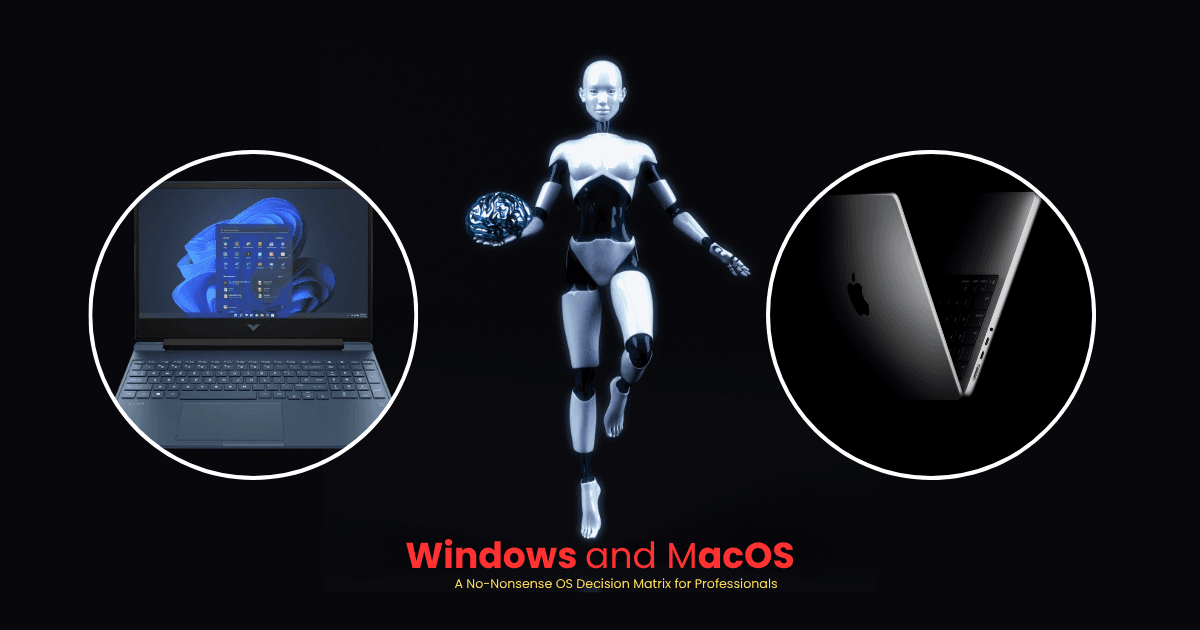
The Windows vs. macOS debate is no longer about which operating system is “better” — it’s about which one fits your workflow.
Choosing the wrong platform can cost you critical software features, kill your battery mid-flight, or break your development environment entirely. This decision matrix cuts through the marketing noise and helps you pick the right OS for your exact professional role.
Why This Choice Matters More Than Ever
In 2026, both platforms have matured significantly — but they’ve also diverged in very specific, meaningful ways. A wrong purchase today can lock you into years of workflow friction, expensive workarounds, and productivity loss.
Let’s break it down.
The Core Architectural Difference
Before diving into job roles, understand the fundamental split between the two platforms:
macOS (Apple Silicon — M-series chips)
- Built on an ARM-based Unix foundation
- Uses a single “Unified Memory” pool shared between CPU and GPU
- Delivers full performance on battery — no throttling
- Exceptional power efficiency for mobile professionals
Windows 11 (x86 & ARM)
- Built for maximum hardware flexibility
- Supports powerful dedicated NVIDIA GPUs with CUDA cores
- Ideal for raw local processing and heavy rendering
- Performance drops significantly when unplugged
One-line summary: Mac wins on efficiency and portability. Windows wins on raw power and software compatibility.
Role-by-Role Decision Matrix
1. Software Engineers & Developers
Your environment dictates your OS.
| Scenario | Best Choice |
|---|---|
| iOS, macOS, or Safari app development | macOS (mandatory — Xcode is exclusive) |
| Web development, cloud, DevOps | macOS (Unix terminal mirrors Linux servers natively) |
| Microsoft stack (.NET, C#, Azure enterprise) | Windows |
| AAA game development or hardware drivers | Windows |
Key insight: macOS terminal commands, Docker containers, and Homebrew mirror live Linux server environments out of the box. Windows Subsystem for Linux (WSL2) has improved significantly but still runs as a virtualization layer — not native.
2. Data Analysts, Finance Professionals & Accountants
Corporate administration runs on legacy data structures — and legacy tools.
| Scenario | Best Choice |
|---|---|
| Advanced Excel with VBA macros | Windows (dominant) |
| Power BI, SQL Server Management Studio | Windows |
| SAP or enterprise ERP software | Windows |
| Google BigQuery, Snowflake, browser-based tools | macOS works fine |
Critical warning: The Mac version of Microsoft Excel is fundamentally limited for power users. It lacks full VBA macro parity, misses key legacy data-import pipelines, and changes essential keyboard shortcuts that financial analysts rely on daily. If Excel is your primary tool — buy Windows, no exceptions.
3. Creative Professionals (Video, Audio, UI/UX)
Render times and display accuracy directly affect your billing hours.
| Scenario | Best Choice |
|---|---|
| Final Cut Pro, Logic Pro | macOS (exclusive apps) |
| Adobe Creative Cloud, Figma | macOS (hardware media engines + color accuracy) |
| 3D modeling — SolidWorks, AutoCAD | Windows |
| VFX rendering — Blender, Maya | Windows (CUDA cores scale linearly) |
Key insight: Apple’s M-series chips include dedicated hardware media engines that encode/decode ProRes video instantly — no fans, no lag. macOS also handles system-wide color profiles across external monitors flawlessly, which is critical for print and video color grading.
4. Remote Workers, Consultants & Frequent Travelers
Portability means nothing if you’re constantly hunting for a power outlet.
| Scenario | Best Choice |
|---|---|
| Working from airports, cafes, client sites | macOS |
| 15–20 hours battery under real workloads | macOS |
| Multi-monitor desktop docking station | Windows |
| Complex Snap window management | Windows |
Key insight: Apple Silicon MacBooks maintain 100% performance on battery — no throttling during Zoom calls or browser-heavy sessions. Windows laptops on battery aggressively reduce CPU/GPU power to manage heat, which causes noticeable slowdowns.
The Definitive Platform Checklist
Run your workflow through this two-step filter before buying:
[ Step 1: Software Audit ]
Do any of your top 3 tools run on only one platform?

├── Yes (SolidWorks, Power BI, VBA Excel) ──────► Choose Windows
├── Yes (Final Cut Pro, Xcode, Logic Pro) ──────► Choose macOS
└── No (All cross-platform or browser-based) ───► Go to Step 2

[ Step 2: Mobility vs. Raw Power ]
What does your typical workday demand?

├── Travel, unplugged performance, long battery ─► Choose macOS
└── Local AI training, 3D rendering, gaming ────► Choose Windows
Summary: Corporate Procurement Matrix
| Professional Need | Windows 11 | macOS | Deciding Factor |
|---|---|---|---|
| Enterprise Excel & Power BI | ✅ Dominant | ❌ Compromised | VBA macros & keyboard shortcuts |
| Local AI / Machine Learning | ✅ Dominant | ⚠️ Capable | NVIDIA CUDA vs. Unified Memory |
| Battery Life Under Load | ❌ Poor | ✅ Dominant | ARM efficiency = 15–20 hrs active |
| Hardware Resale Value | ⚠️ Moderate | ✅ Dominant | Lower degradation, higher trade-in |
| IT Management & Deployment | ✅ Flexible | ✅ Flexible | Intune (Win) vs. Jamf (Mac) — equal |
Frequently Asked Questions
Which OS handles local AI and machine learning better?
It depends on the scale. Windows dominates for heavy deep learning and model training thanks to NVIDIA CUDA support. However, for running open-source LLMs (up to 70B parameters), high-end Mac Studios with 128GB–192GB Unified Memory are a surprisingly cost-effective alternative — the entire model loads directly onto ultra-fast shared RAM.
Why do finance professionals avoid MacBooks?
The macOS version of Excel lacks full feature parity with Windows — specifically around complex VBA macro execution, legacy data-import pipelines, and Power Query mechanics. Decades-old keyboard shortcuts that finance professionals rely on for keyboard-only model building are either altered or missing entirely on macOS.
How does IT management compare between platforms?
The gap has effectively closed. Windows uses Microsoft Intune and Windows Autopilot for zero-touch deployment. macOS uses Jamf or Kandji with Apple Business Manager for the same result. Both support endpoint detection, remote wiping, and corporate identity integration equally well.
What’s the real battery performance difference?
Significant. Apple Silicon MacBooks maintain 100% processing speed on battery — the ARM architecture simply doesn’t need to throttle. Traditional x86 Windows laptops aggressively reduce CPU and GPU performance when unplugged to manage heat and preserve battery life, which causes noticeable slowdowns during intensive work.
Final Verdict
There’s no universally “better” OS in 2026 — only the right one for your specific workflow. Use the matrix above, audit your top 3 tools, and let your work requirements decide for you.
Still unsure? Drop your job role in the comments, and I’ll help you decide.