
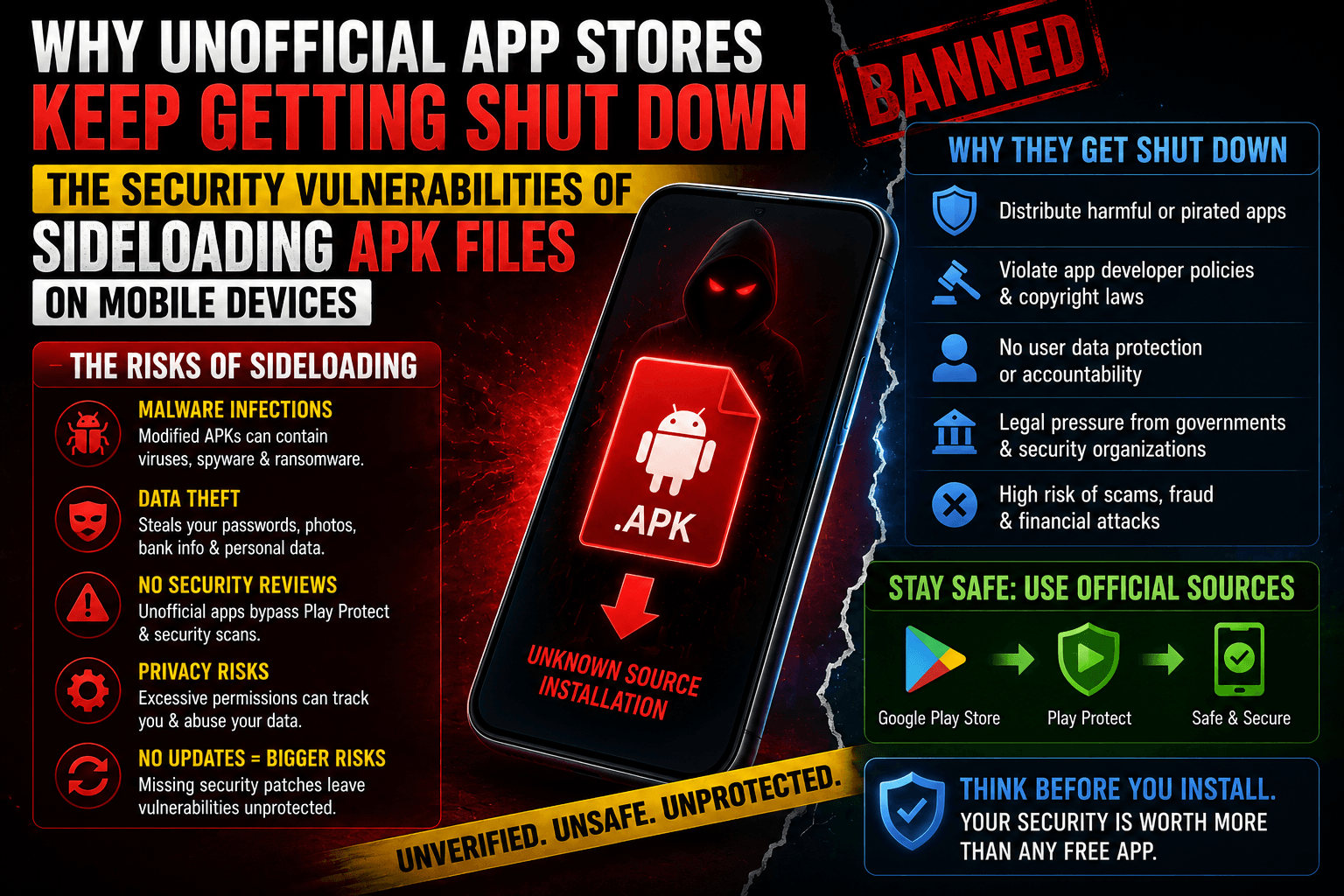
When a popular application is pulled from mainstream marketplaces or demands a subscription premium, users frequently turn to the corners of the internet to find sideloaded APK files (Android Packages). Third-party “pirate” storefronts and unverified repositories promise unrestricted freedom, modified application features (mods), and premium perks for free.
However, these unofficial digital storefronts face an ongoing game of whack-a-mole, with Google, Apple, law enforcement, and security teams constantly forcing them offline. In fact, active platform enforcement data shows that tech ecosystems block tens of thousands of illicit alternative marketplaces every year.
These shutdowns are not just about protecting corporate profits—they are a direct response to a massive surge in financial fraud and device compromise. Sideloading raw installation files introduces critical physical security vulnerabilities that bypass your smartphone’s default architecture.
1. The Core Vulnerabilities of Sideloading
Official apps go through stringent, multi-tiered static and dynamic analysis before reaching your device. When you pull a raw installation package from a random repository, you bypass these protocols entirely, exposing your system to structural exploits.
The App Signing Security Void
On mainstream platforms, security is governed by a protected key system (such as Google’s mandatory Play App Signing). The platform architecture uses cryptographically secure keys to verify that an app update is authentic and matches the original creator.
- The Sideloading Risk: Unofficial marketplaces have no mechanism to verify key integrity. Attackers take a legitimate app file, unpack it, inject malicious background scripts, and sign it with a fake, throwaway developer key. When you install it, your operating system is tricked into treating a weaponized virus as a standard utility tool.
Bypassing the Sandbox
Mobile operating systems use an architectural strategy called sandboxing. Every application is supposed to run inside its own isolated software bubble, completely restricted from looking at the data of neighboring apps (like your mobile banking suite or password manager) unless explicitly permitted.
How Malware Breaks the Sandbox: Modified or cracked APK files frequently exploit legacy API vulnerabilities. If an application targets an outdated system framework, it can trick the device into granting broad accessibility permissions.
2. The Mechanics of an Attack: How Malicious APKs Drain Accounts
Recent cybersecurity waves show a massive increase in highly targeted social engineering schemes—such as fraudulent “wedding invitations,” package tracking updates, or banking alerts sent via WhatsApp and SMS containing an APK download link.
Once a user manually clicks through the system safety warnings and executes the package, the payload activates a predictable chain of exploitation:
Request Accessibility Service Access
The Trigger
1. Request Accessibility Service Access: The Trigger.
Upon launch, the app creates a fake system prompt or error message asking the user to toggle on Accessibility Services under system settings (often under the guise of an “optimization” requirement).
Hijack Screen Inputs and Keystrokes
The Takeover
2 . Hijack Screen Inputs and Keystrokes: The Takeover.
Once Accessibility permissions are granted, the malware gains the capability to read everything on the screen (Overlay Attacks) and mimic physical touch inputs without the user’s knowledge.
Intercept One-Time Passwords (OTPs)
The Data Harvest
3. Intercept One-Time Passwords (OTPs): The Data Harvest.
The app intercepts all incoming SMS notifications and system readouts. When the user opens a financial app, the malware logs the login credentials and instantly grabs the 2FA (Two-Factor Authentication) code from the notification panel.
Execute Unauthorized Transactions
The Drain
4 . Execute Unauthorized Transactions: The Drain.
Using background processes, the malware siphons funds via background automated UPI or banking transactions, often executing the attacks in the early hours of the morning when the device owner is asleep.
3. Red Flags: Spotting a Compromised Device
Because these apps run hidden processes beneath the surface, they force your hardware to work around the clock. If you have recently installed software from an unverified marketplace, keep a close watch for these physical indicators of infection:
- Rapid Battery Depletion: The phone’s battery percentage drops drastically even when sitting idle on a desk, caused by continuous background server handshakes.
- Thermal Surges (Overheating): The back of the device feels warm to the touch despite the display being turned off, indicating high, unprompted NPU or CPU utilization.
- Phantom Notifications / Auto-Forwards: Friends report receiving strange download links or messages sent directly from your personal messaging accounts (like WhatsApp or Telegram) without your authorization.
- Spontaneous Privacy Indicator Lights: The green or orange microphone and camera activation dots in the corner of your screen flicker on when no media apps are active.
4. The 2026 Platform Guardrails: The Battle Against Rogue Stores
To counter the threat of unverified downloads, smartphone operating systems are fundamentally shifting how they handle unknown software installation.
Android’s “Advanced Flow” Cooling-Off Period
To address the vulnerability of users being coached through malicious installations by phone scammers, Android has overhauled its sideloading architecture. Power users can still install unverified developer files, but the process now introduces strict physical friction:
- The Seven-Tap Unlock: Users must manually activate Developer Mode within system sub-menus.
- The Disconnection Restart: The device forces a mandatory hardware restart, which intentionally severs any active remote-access scripts or ongoing phone calls with bad actors.
- The 24-Hour Protective Wait: The OS enforces a mandatory one-day protective cooling-off window before the file can actually be executed, entirely breaking the artificial sense of urgency that online fraudsters rely on.
Apple’s Marketplace Enforcement
Even as regulatory pressures force mobile ecosystems to allow alternative app distribution channels, platforms like iOS have deployed continuous background scanning. In a single month, system defenses detect and block millions of unauthorized attempts to launch or side-load applications distributed through unapproved, pirated storefronts—effectively breaking the distribution line of untrusted enterprise certificates.
The Golden Rule of App Safety: If an online platform offers a paid app completely free of charge, you aren’t paying with currency—you are paying with the administrative keys to your private data, identity, and personal accounts. Always restrict app discovery to verified marketplaces.